 AuthBox
This documentation describes AuthBox v0.3.0-133-g71cb5564.
Your own certificate authority for a team
In short
A team that wants its own certificates and has no PKI to hang them on. The first boot's wizard stands up a certificate authority, writes the one configuration file and prints a single bootstrap administrator invitation, all on one host the root never leaves.
What it is for
A team that wants its own certificates and has no public key infrastructure to hang them on. There is no configuration file to write by hand: the first boot serves a wizard on the loopback address, asks what this deployment is for and who runs it, and ends by standing up a certificate authority, writing one configuration file, and printing a single bootstrap administrator invitation.
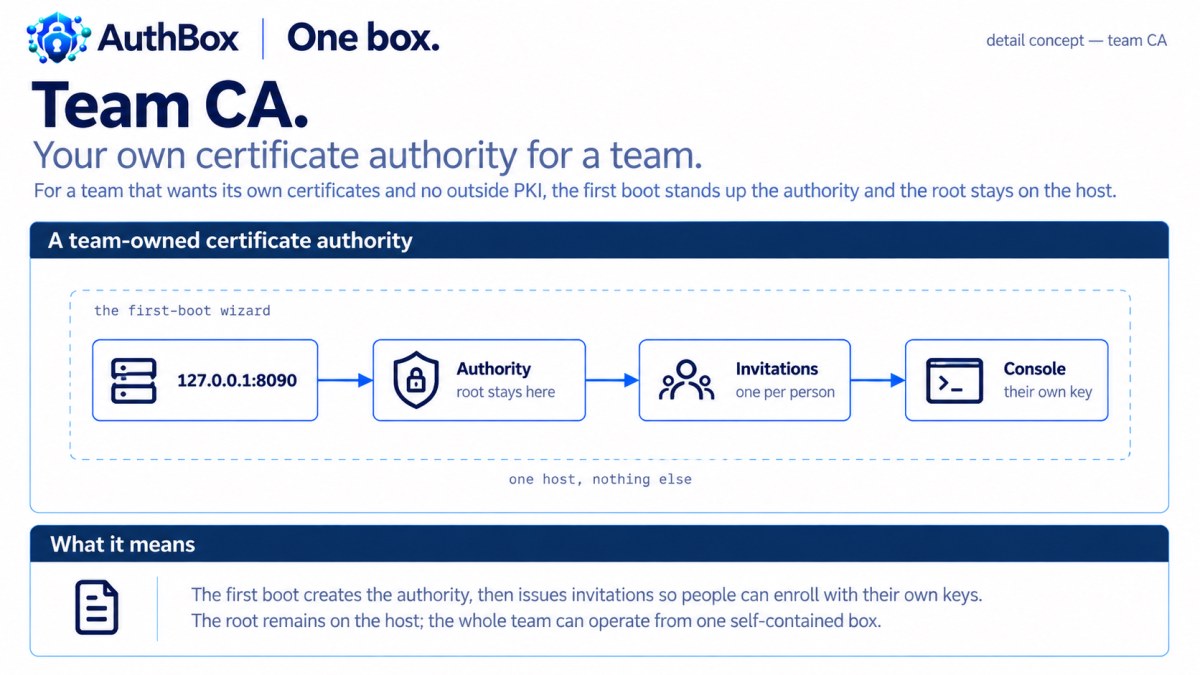
Invite the rest of the team from the console; each person enrolls with a key that never leaves their machine, and from then on the certificate is the login. Nothing is hosted for you, nothing phones home, and the root you just made stays on the host you made it on. If the wizard is interrupted it has applied nothing — there was nothing running yet to disturb.
This is not a hosted certificate authority. No key material and no directory ever leaves the host.
The topology
One host, and a straight line through it. The wizard runs on the loopback address, produces a certificate authority, which produces invitations, which produce the people the console is then for.
   one host, nothing else
   +--------------------------------------------------------------+
   |  127.0.0.1:8090   ->  certificate    ->  invitations  ->  console
   |  the first-boot       authority          one per            the team,
   |  wizard               (the root          person             each with
   |                        stays here)                          their own key
   +--------------------------------------------------------------+
The setup listener binds loopback and serves nothing but the wizard and the embedded documentation; it closes the moment the file is written, and no other listener starts while it is running.
Stand it up
$ docker run --rm -it -v "$PWD/data:/data" -p 127.0.0.1:8090:8090 \
      authboxus/authbox -setup -config /data/authbox.yaml \
      -setup-listen 0.0.0.0:8090 -setup-token generate
$ docker run -d --name writer -p 8443:8443 -p 8080:8080 -p 8081:8081 authboxus/authbox -evaluate
The first is what you run for a team of your own: the wizard, on http://127.0.0.1:8090 behind the token it prints, writing into a data/ directory owned by the image's user (sudo chown 65532:65532 data); on a host install it is authboxd -setup on loopback with no token. The second is the same act on answers built into the image, for looking before you configure: one server, by itself, the evaluation the image runs with no scenario named, mints an authority into the container's own volume and prints one bootstrap administrator invitation, which is this scenario end to end with nothing asked. 1. Run it walks both.
What the smoke proves
The wizard's own rules are proved against the compiled binary in test/integration/setup_test.go: it refuses to serve off loopback without a one-time token (TestSetupOffLoopbackNeedsAToken), it opens no other listener while it runs (TestSetupModeOpensNoOtherListener), and it refuses to overwrite a configuration that is already there (TestSetupRefusesToOverwriteAConfiguration). authboxctl setup, for a host with no browser, is proved to round-trip into a deployment that actually starts, and to create nothing when it is asked not to write.
The evaluation's own proof runs the image: a fresh box mints its authority, the invitation it printed is claimed with the printed lines, and the credential that comes back is active and opens the console. The worked composition then runs its enrollment phase against real containers: an invitation is created and claimed, and a person who holds the result reaches the console, and the same deployment is stood up on one machine with the cable out.
Read on
-setupis the wizard itself: loopback, a token for anything else, no second listener, nothing applied to a running deployment.- The operator runbook is the first boot, in the operator guide: the loopback rule and the token, the three key custody answers, what to do with the bootstrap invitation, and the enclave path with no browser.
- Enrolling with AuthBox is the page to hand the rest of the team.